


Common Flex Printing Machine Problems and Repairs Every flex printing machine, regardless of brand or print head, tends to develop the same handful of problems over its working life. Knowing exactly what these are — and having a clear repair procedure ready before the problem hits — means the difference between fixing an issue in twenty minutes and losing an entire day of production while you figure out what’s wrong.
This guide catalogs the most common flex printing machine problems Indian signage businesses actually encounter, with a clear repair procedure for each one, so you have a practical reference ready the next time something goes wrong.
Problem 1: Clogged Print Head Nozzles
Symptom: Thin white lines, gaps, or missing sections running consistently across the printed output.
Cause: Dried ink inside the nozzle openings, usually from machine idle time without proper capping, a degraded capping station seal, or contaminated ink.
Repair Procedure:
- Run the machine’s built-in nozzle check pattern to identify exactly which nozzles are affected.
- Run a standard head cleaning cycle through your RIP software or control panel.
- Repeat the cleaning cycle two to three times if the first pass doesn’t fully clear the blockage.
- If nozzles remain blocked after multiple cycles, perform a manual clean using the manufacturer-recommended cleaning solution and a soft, lint-free applicator.
- If manual cleaning still doesn’t resolve it, the affected nozzles may have failed permanently, requiring professional assessment of the head itself.
Estimated repair cost: ₹0 (self-cleaning) to ₹40,000+ if head replacement becomes necessary.
Problem 2: Ink Not Drying / Smudging
Symptom: Prints look correct coming off the machine but smudge when touched or remain tacky.
Cause: Malfunctioning heater or drying fan, incorrect temperature settings, printing speed outpacing the drying system, or incompatible ink-media combination.
Repair Procedure:
- Check that heating elements and drying fans are physically functioning — listen and feel for airflow and warmth near the drying zone.
- Verify the temperature setting matches manufacturer recommendations for your specific ink and media combination.
- If temperature and airflow check out, reduce print speed slightly to allow more drying time per pass.
- Check ambient workspace humidity and temperature, since both genuinely affect drying performance, particularly during humid seasons.
- If the heater or fan tests as non-functional, replace the faulty heating element or fan motor.
Estimated repair cost: ₹3,000 – ₹15,000 for heating/fan component repair or replacement.
Problem 3: Banding or Repeating Lines Across the Print
Symptom: Regular, rhythmic bands or lines appearing across the width of the print, distinct from fine clogging-related lines.
Cause: Dirty or damaged encoder strip, worn carriage belts, or inconsistent carriage motor speed.
Repair Procedure:
- Power down the machine and carefully inspect the encoder strip for visible dirt, ink residue, or scratches.
- Clean the strip gently using a soft, lint-free cloth and appropriate cleaning solution — never use abrasive materials.
- Power on and run a test print to check if banding has cleared.
- If banding persists, inspect carriage belts for visible wear or looseness.
- If belts appear worn or the issue continues, have a technician inspect the carriage motor for consistent speed and function.
Estimated repair cost: ₹0 (self-cleaning) to ₹10,000 for encoder strip replacement, or ₹5,000–₹20,000 for motor/belt repair.
Problem 4: Colour Inconsistency or Incorrect Colours
Symptom: Colours appear shifted, inaccurate, or inconsistent compared to the intended design, without visible missing lines or banding.
Cause: Incorrect or outdated ICC colour profile, RIP software misconfiguration, or in some cases ink contamination.
Repair Procedure:
- Verify the correct ICC colour profile is loaded and matches both your printer model and current ink set.
- Recalibrate colour settings within your RIP software following manufacturer guidance.
- If you’ve recently changed ink brands or refilled tanks, double-check every colour channel is correctly assigned to the right ink.
- Print a standard colour test pattern and compare against a known reference to isolate which specific colour channel is affected.
- If a single channel remains consistently wrong after profile correction, inspect that specific ink line for contamination or blockage.
Estimated repair cost: ₹0 (software correction) to ₹5,000 if ink line cleaning is required.
Problem 5: Blurry or Fuzzy Print Output
Symptom: Print lacks sharp detail or has a soft, slightly doubled appearance despite correct colour and coverage.
Cause: Incorrect print head height/gap setting for the media thickness, or media not lying flat during the print pass.
Repair Procedure:
- Check your machine’s print head height/gap setting against the manufacturer’s recommendation for your specific media thickness.
- Adjust the gap setting accordingly and run a test print.
- If blurriness persists, inspect whether the media itself is lying flat — check for bunching, lifting, or wrinkling during feed.
- Adjust media tension settings if uneven feed is identified as the cause.
- If the issue continues despite correct height and flat media, inspect carriage movement for vibration or inconsistency.
Estimated repair cost: ₹0 (setting adjustment) to ₹5,000 if tension system adjustment or minor repair is needed.
Problem 6: Print Job Stops Mid-Print
Symptom: The machine halts partway through a print job rather than completing it or producing a consistently flawed output.
Cause: Media jam, ink supply interruption, loose cable connection, or software/RIP processing error.
Repair Procedure:
- Physically inspect the entire media path for jams or obstructions.
- Check ink levels and inspect lines for visible air bubbles that may be interrupting flow.
- Check all cable connections between the computer and machine, including USB and power connections.
- Restart both the RIP software and the machine to clear any communication error.
- If the issue recurs with the same specific file, check the file itself for corruption or excessive complexity that may be causing a processing failure.
Estimated repair cost: Usually ₹0 (troubleshooting resolves it) to ₹2,000–₹6,000 if a service call is needed for a persistent connection or ink supply fault.
Problem 7: Misaligned or Offset Prints
Symptom: The print consistently appears shifted from its intended position on the media, even though print quality itself looks fine.
Cause: Uneven media loading, tension mismatch between feed and take-up systems, or carriage calibration drift.
Repair Procedure:
- Reload the media, ensuring it sits evenly and squarely in the feed mechanism.
- Check and adjust tension settings so feed and take-up systems are consistent with each other.
- Run your machine’s built-in calibration routine to correct any positional drift.
- For longer print runs specifically affected, monitor tension consistency throughout the full length of the job rather than just at the start.
- If misalignment persists after recalibration, have a technician inspect the carriage positioning system for a deeper mechanical issue.
Estimated repair cost: ₹0 (recalibration) to ₹5,000 for tension system adjustment.
Problem 8: Machine Won’t Power On
Symptom: The machine shows no response at all when switched on.
Cause: Power supply issue, blown fuse, damaged power cable, or a failing internal power supply unit.
Repair Procedure:
- Confirm the wall outlet is functioning by testing another device.
- Check the power cable for visible damage and ensure it’s fully seated at both ends.
- Check the machine’s main power switch and any accessible fuse for damage.
- If the outlet, cable, and switch all check out, the internal power supply unit may have failed and needs professional inspection.
Estimated repair cost: ₹0 (cable/connection fix) to ₹10,000–₹30,000 for power supply unit replacement.
Problem 9: White Ink Settling or Clogging
Symptom: Inconsistent or missing white ink coverage, particularly noticeable when printing on dark or transparent media.
Cause: Inadequate ink circulation or agitation, since white ink settles faster than CMYK colours if left undisturbed.
Repair Procedure:
- Check whether your machine has an automatic white ink circulation/agitation system, and confirm it’s functioning.
- If your machine lacks automatic circulation, manually shake or agitate the white ink container on a regular schedule, following manufacturer guidance.
- Run a nozzle check specifically focused on the white ink channel to assess clogging severity.
- Perform a dedicated cleaning cycle for the white ink channel if clogging is confirmed.
- If clogging recurs frequently despite proper agitation, consider whether a circulation system upgrade or retrofit is warranted for your specific machine.
Estimated repair cost: ₹0 (manual agitation) to ₹15,000+ for a circulation system repair or retrofit.
Problem 10: Carriage Motor or Belt Failure
Symptom: Grinding noises, erratic carriage movement, or the carriage stopping mid-operation.
Cause: Worn belts, damaged guide rails, debris in the mechanism, or a failing motor.
Repair Procedure:
- Power down the machine immediately if you hear grinding or unusual noises, to prevent further damage.
- Visually inspect the carriage rail and belt for visible debris, wear, or damage.
- Clean any dust or ink residue from the guide rail.
- If the belt shows visible wear or looseness, have it replaced by a technician.
- If the motor itself is suspected (rather than the belt), professional diagnosis is needed, since motor replacement is a more involved repair.
Estimated repair cost: ₹5,000 – ₹20,000 depending on whether the fix is a belt replacement or full motor repair.
Problem 11: Control Board or Electronics Failure
Symptom: Machine fails to power on properly, print jobs corrupt mid-print, or communication errors occur between the RIP software and machine.
Cause: Mainboard or headboard fault, often from power surges, age-related component failure, or manufacturing defects in lower-quality boards.
Repair Procedure:
- Rule out simpler causes first — power supply, cable connections, and software/driver issues.
- If the issue persists and points toward electronics, do not attempt to open or repair the board yourself unless properly trained.
- Contact a technician experienced with your specific machine’s control board brand for proper diagnosis.
- Ensure any replacement board is genuine or a verified compatible equivalent, since board quality significantly affects long-term reliability.
- After board replacement, run a full recalibration to ensure proper communication with all machine components.
Estimated repair cost: ₹10,000 – ₹50,000+ depending on the specific board and machine model.
Quick Reference: Problems, Causes, and Repair Cost Ranges
| Problem | Primary Cause | Typical Repair Cost (INR) |
|---|---|---|
| Clogged print head nozzles | Dried ink, poor capping | ₹0 – ₹40,000+ |
| Ink not drying/smudging | Heater/fan malfunction | ₹3,000 – ₹15,000 |
| Banding/repeating lines | Dirty/damaged encoder strip | ₹0 – ₹10,000 |
| Colour inconsistency | ICC profile/software issue | ₹0 – ₹5,000 |
| Blurry/fuzzy print | Incorrect head height | ₹0 – ₹5,000 |
| Print stops mid-job | Jam, ink, or connection issue | ₹0 – ₹6,000 |
| Misaligned prints | Tension/calibration drift | ₹0 – ₹5,000 |
| Won’t power on | Power supply/cable/fuse | ₹0 – ₹30,000 |
| White ink clogging | Inadequate circulation | ₹0 – ₹15,000+ |
| Carriage motor/belt failure | Wear, debris, motor fault | ₹5,000 – ₹20,000 |
| Control board failure | Electronics fault | ₹10,000 – ₹50,000+ |
How to Reduce How Often These Problems Occur
Nearly every problem in this guide is genuinely less likely to occur with consistent preventive care. Running a nozzle check before each day’s production, keeping the capping station and encoder strip clean, checking ink lines and tension settings periodically, and scheduling regular professional inspections all reduce both the frequency and severity of these common issues. A machine that receives this kind of consistent attention will, over its working life, need dramatically fewer emergency repairs than one that’s only addressed reactively after something breaks.
When to Call a Professional vs. Fix It Yourself
| Situation | Recommended Approach |
|---|---|
| Nozzle clogging, first attempt | Self-repair (cleaning cycle) |
| Nozzle clogging, persists after 3+ cycles | Call a technician |
| Dirty encoder strip | Self-repair (careful cleaning) |
| Damaged encoder strip | Call a technician |
| Software/ICC profile issues | Self-repair |
| Any control board fault | Call a technician |
| Carriage noise or erratic movement | Call a technician |
| Basic media jam | Self-repair |
| Print head replacement | Call a technician |
Get Professional Repair Support from MS Sign
If you’re facing any of the problems covered in this guide and self-troubleshooting hasn’t resolved it, MS Sign Pvt. Limited, based in Indiranagar, Lucknow, offers expert repair services across every major print head technology — Konica 512, Konica 512i, Konica 1024i, Ricoh Gen5, XAAR, Spectra, Seiko, Epson i3200, XP600, DX5, and DX7.
Their technical team handles the full range of problems covered here — print head cleaning and replacement, encoder strip and capping station servicing, carriage motor and belt repairs, control board diagnosis, and ink system maintenance — using genuine spare parts to ensure repairs actually last rather than requiring repeat visits. Whether it’s a quick fix or a more involved repair, getting it diagnosed and resolved correctly the first time saves you both money and lost production time.
Frequently Asked Questions
What is the most common flex printing machine problem? Clogged print head nozzles are by far the most frequent issue, typically caused by dried ink from insufficient capping or machine idle time — a nozzle check pattern is always the right first diagnostic step.
Can I fix most flex printing machine problems myself? Many common issues — nozzle cleaning, encoder strip cleaning, colour profile correction, media tension adjustment — are safe to attempt yourself, while control board faults, motor repairs, and persistent clogging are best left to a trained technician.
How much does it typically cost to repair a flex printing machine? This varies enormously by problem — many issues can be resolved at no cost through self-troubleshooting, while component repairs typically range from ₹2,000 to ₹20,000, and print head or control board replacement can run considerably higher, from ₹15,000 to over ₹1,00,000.
How do I prevent these common problems from happening in the first place? Consistent preventive maintenance — daily nozzle checks, regular cleaning of the capping station and encoder strip, and periodic professional inspections — genuinely reduces both how often these problems occur and how severe they become when they do.
Is it worth trying to fix a control board issue myself? No — control board and electronics issues should always be handled by a trained technician, since incorrect intervention can cause further, more expensive damage to the machine.
Conclusion
The vast majority of flex printing machine problems fall into a predictable, well-understood set of categories — print head clogging, drying issues, banding, colour inconsistency, mechanical wear, and electronics faults — each with a clear, methodical repair procedure rather than a mystery to solve from scratch. Keeping this guide handy, following consistent preventive maintenance, and knowing when to call in professional help rather than risk further damage will keep your flex printing machine running reliably and your business productive.
For expert repair support on any of the problems covered in this guide, reach out to MS Sign Pvt. Limited — helping keep your flex printing machine, and your business, running smoothly.
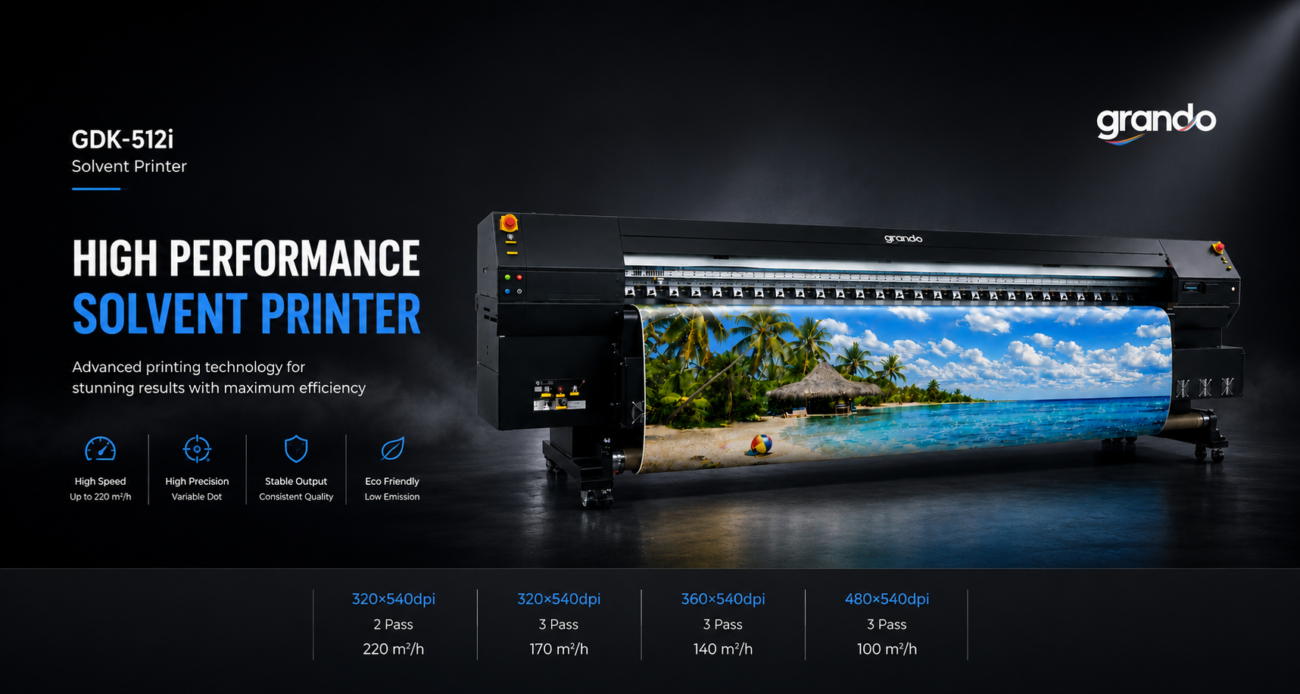
 Flex Printing Machine
 Eco Solvent Printer
 UV Roll to Roll Printer
 DTF Printer
 Sticker Cutter Plotter